Instructions for Accessing Erasmus+ Services
Available Services
Your eduID.it account allows you to access all digital services for student mobility within the Erasmus+ program through the MyAcademicID service.
Before accessing the available services, see the section
Registration and Access to Services
The services currently available are:
- Online Learning Agreement
https://www.learning-agreement.eu/ - Erasmus App
https://erasmusapp.eu/ - Phd Hub
https://phdhub.eu/
Registration and Access to Services
Follow the instructions below to access the Erasmus+ digital services with your eduID.it account.
If you haven’t already, activate your eduID.it account by following the instructions here:
eduID.it Account Instructions.
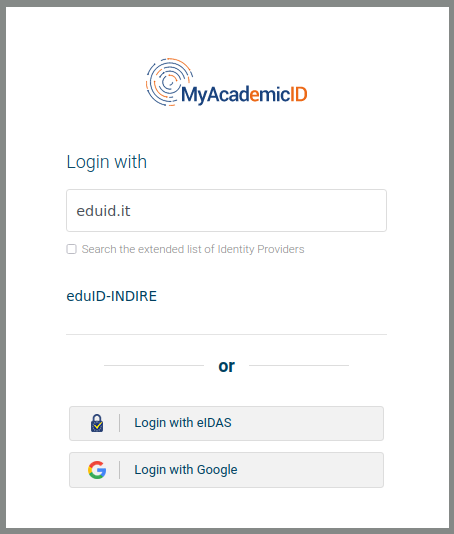
After selecting the service, for example the Online Learning Agreement https://www.learning-agreement.eu/, click on LOG IN and in the "Login with" search box, enter "eduid.it" and select "eduID-INDIRE".
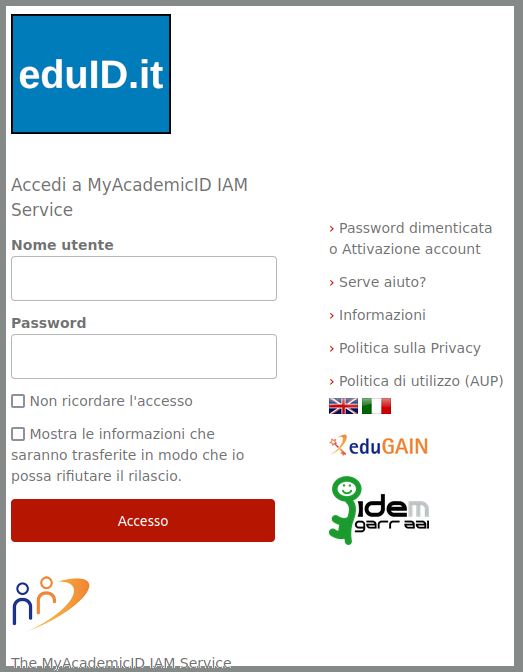
Once redirected to the eduID.it authentication page, log in by entering the registration email and the password you used to activate your account.
On your first login, the MyAcademicID service will ask you to register your account. Proceed to be able to access the services.
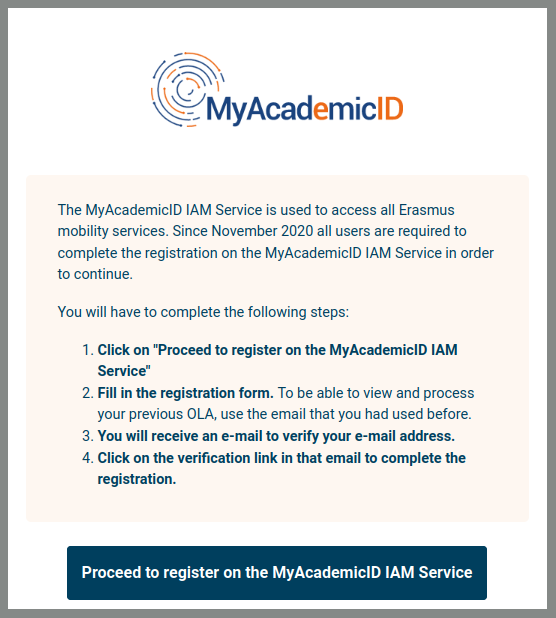
The MyAcademicID registration process requires you to confirm your email account by following an activation link:
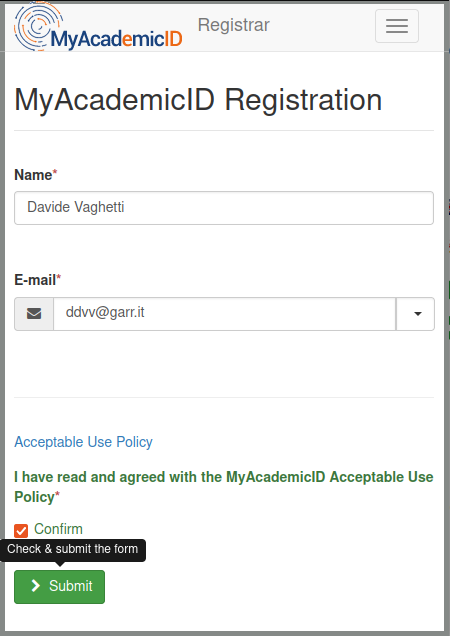
Once you have activated your eduID.it account on MyAcademicID you will be able to access all Erasmus+ services without further steps.